When publishers think about raising ad revenue, they usually think about adding more ads. Often the faster win is using the right format in each position. A tall sidebar slot filled with a small banner, a native unit placed where readers never look, or a video player on a page nobody stays on: each of those leaves money on the table without adding anything for readers.
This guide compares the main website ad formats, what each one is good at, and where each one belongs.
The formats at a glance
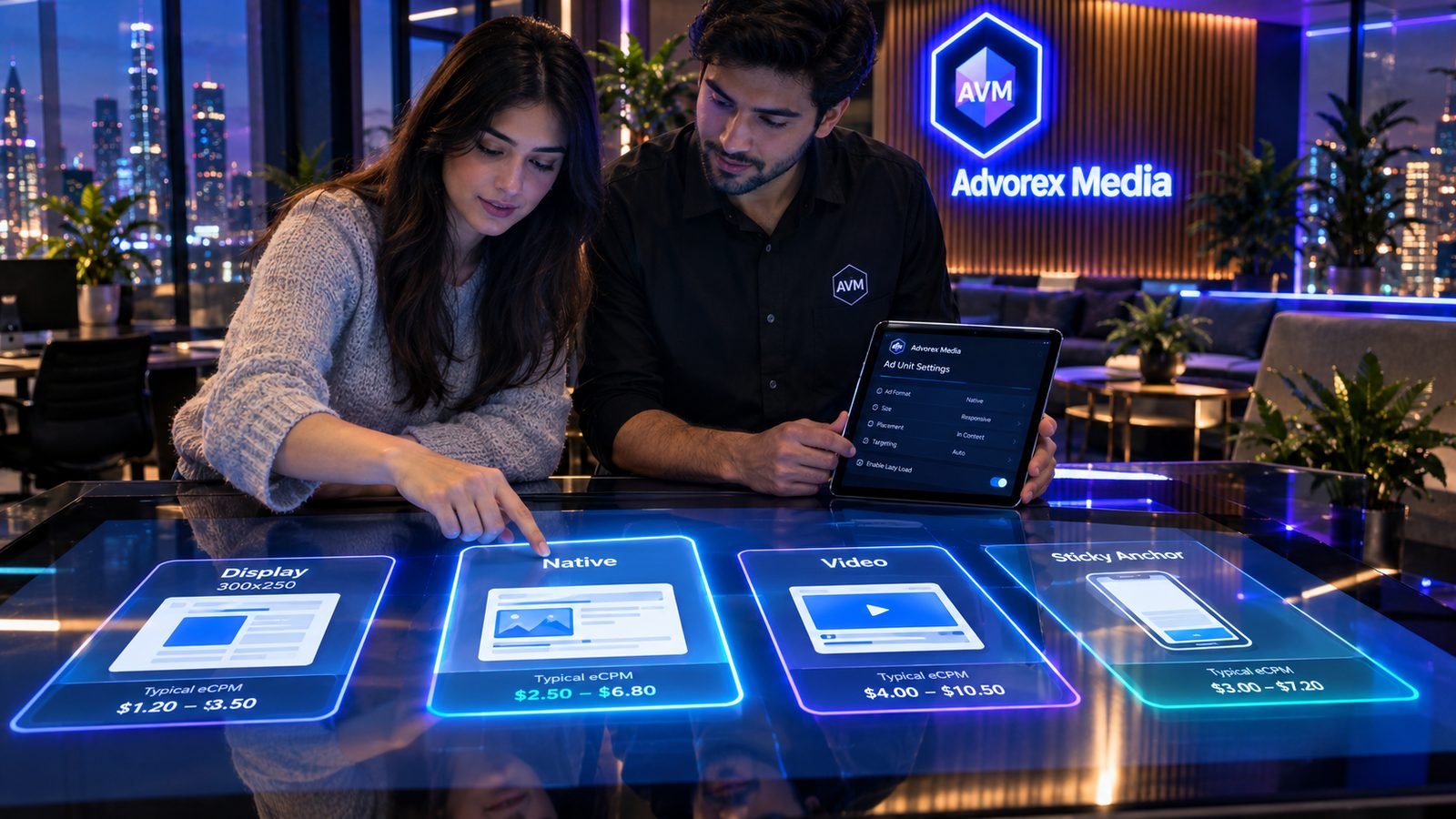
| Format | Best position | Strength | Watch out for |
|---|---|---|---|
| Display | In-content, top of article, sidebar | Huge demand, works everywhere | Banner blindness if overused |
| Native | In-content, end of article | Blends with content, reader-friendly | Must be clearly labelled |
| Video | Near the top of long, engaging pages | Highest eCPM of the common formats | Needs engaged readers and a good player |
| Top anchor / bottom sticky | Fixed to the top or bottom of the screen | Very high viewability, strong on mobile | Must stay slim and not cover content |
| Sticky sidebar | Desktop sidebar | Stays in view while readers scroll | Only visible on wide screens |
| Interstitial | Between page views | Full attention, high value | Easy to overuse; frequency must be low |
Display ads
Display ads are the classic image or rich-media banners. They have the largest pool of advertisers, so they fill reliably almost everywhere. The most requested sizes:
- 300×250 (medium rectangle): the most versatile size, great in content and sidebars.
- 336×280 (large rectangle): similar positions, slightly more space.
- 728×90 (leaderboard) and 970×250 (billboard): top of article on desktop.
- 300×600 (half page): tall sidebar slots, often high value.
- 320×50 and 320×100: mobile banners and anchors.
Responsive display units that adapt to the space available are the easiest choice for in-content positions that must work on every screen.
Native ads
Native ads match the look of your site: a headline, an image and a short line of text, styled like your own content. Readers find them less intrusive, which makes them comfortable in-content and at the end of articles. Two rules:
- Always label them clearly, for example "Sponsored" or "Advertisement".
- Keep them visually consistent with your design, so they do not look broken.
Video ads
Video usually commands the highest eCPM of the common formats, because video advertising budgets are large and viewers pay attention. It works best on pages where readers stay: long guides, reviews and tutorials. It works poorly on short pages people leave in seconds. For a complete guide, including how VAST tags work, read video ads (VAST).
Sticky formats
Top anchor and bottom sticky
A slim bar fixed to the top or bottom of the screen stays visible for the whole visit, which gives it excellent viewability. On mobile it is often the single best-performing unit. Use one, not both, and keep it small.
Sticky sidebar
On desktop, a sidebar unit that stays in view as the reader scrolls turns an otherwise forgotten sidebar into prime space. A 300×600 or 160×600 works well here.
Interstitials
Full-screen ads shown between page views get complete attention and can earn well. They also frustrate readers quickly. Use them sparingly: never on arrival, never on every page, and always with an obvious close button.
A recommended starting mix
Long article (desktop)
- Leaderboard or billboard below the title.
- Responsive display or native unit after paragraph 2–3.
- Further in-content units on long articles.
- 300×250 plus a sticky 300×600 in the sidebar.
- Native unit after the conclusion.
Long article (mobile)
- Responsive in-content unit after the first paragraph.
- More in-content units every 4–6 paragraphs.
- Bottom sticky anchor.
Add video to your longest, most engaging pages once the basics are in place. For mobile details see mobile ad monetization, and for positions see where to place ads.
How to test formats
- Change one slot's format at a time and compare two full weeks.
- Judge by RPM for the affected pages, with eCPM and fill rate explaining the change. See eCPM, RPM and fill rate.
- Keep an eye on time on page. A format that earns more but drives readers away will cost you later.
Formats in Advorex Media
When you create an ad unit in Advorex Media you choose its format: Display (in-content or sidebar, in the standard banner sizes), Native (fixed size or responsive), Video (VAST), Top Anchor, Bottom Sticky, Sticky Sidebar, Interstitial, Popunder or In-Page Push. Each unit gets its own code, its own optional floor price and its own line in your reports, so you can compare formats slot by slot and keep the ones that earn.
Key takeaways
- Display fills reliably everywhere; native is reader-friendly; video pays the most on engaging pages.
- Sticky anchors and sticky sidebars win on viewability.
- Interstitials earn well but must be rare and easy to close.
- Choose the format that fits each slot, test one change at a time and judge by RPM.
Frequently asked questions
Which ad format pays the most?
Video usually has the highest eCPM, but it needs the right content and placement. For most blogs, the best total revenue comes from a mix: in-content display or native units, a sticky unit and, where it fits, video.
What are the most common banner ad sizes?
300×250 (medium rectangle), 728×90 (leaderboard), 300×600 (half page), 320×50 and 320×100 (mobile banners) and 970×250 (billboard) cover most display demand.
Are native ads deceptive?
Native ads should be clearly labelled as ads or sponsored content. Labelling keeps readers' trust and is required by most advertising guidelines.
Should I use every format on every page?
No. Choose formats that suit each position and each type of page. A long article can carry more formats than a short news post or a homepage.
Turn these tips into revenue
Advorex Media puts several ad networks in competition for every impression on your site, with one lightweight tag and a dashboard that shows the real numbers.
Create your free account →